Error Codes
Samsung Dryer Error Codes: hE, HC, dC, C80 and More
Samsung dryer error codes hE, HC, tS, dC, 9C1 and the C80 and C90 vent test results explained, the fixes Samsung gives, and when to call a technician.
By Atlanta Appliance Techs · Published · Updated · 8 min read
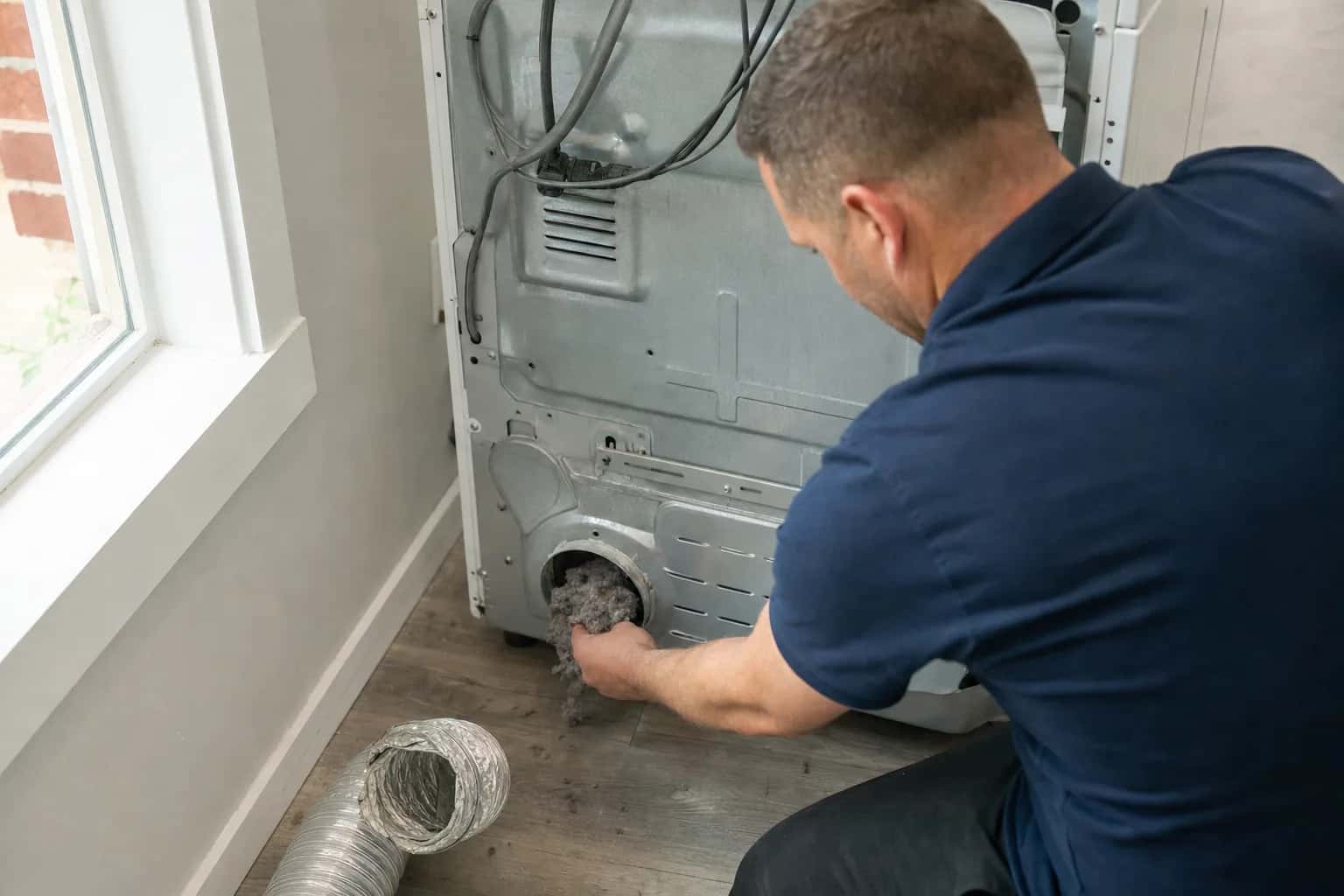
Samsung dryer error codes usually point to one of four things: heat that cannot escape, the door, the power supply or a sensor, and for the heating and temperature codes, Samsung names a clogged lint screen or vent as the most common cause. Codes vary by model, and dryers without a digital display show them as blinking lights, so confirm your code in your owner's manual or on Samsung's dryer error code page.
| Code | Meaning | Try first | Call a technician when |
|---|---|---|---|
| HC, hE, HC4, 1 HC | Heating error: the dryer is getting too hot | Clean the lint screen and the vent | It returns with a clean vent and correct voltage |
| tS, tC, tO, tE and variants | Temperature, or the sensors that measure it | Clean the lint screen and the vent | It continues after cleaning |
| C8 or C80 | Vent test: duct about 80% clogged | Clean the lint filter and have the vent cleaned | The vent is clean and the dryer still runs hot |
| C9 or C90 | Vent test: duct about 90% clogged | Clean the lint filter and have the vent cleaned | The vent is clean and the dryer still runs hot |
| CLg, Cg, CL9 | Vent test: the duct system cannot exhaust properly | Have the duct inspected and cleaned | A clean duct still fails the test |
| C1 or CL1 | Vent test: laundry in the drum | Empty the drum and run the test again | Not a fault |
| Ct | Too cold (below freezing) or too hot (above 104°F) to test | Let the dryer reach room temperature | Not a fault |
| dC, dE, dF, do, d0 | Door, latch or door sensor | Clear anything caught, close the door firmly | The door or latch is damaged, or it won't clear |
| 9C1, 9E, 2E, 9E1 | Abnormal supply voltage | Own circuit, no extension cord, cord installed correctly | Voltage checks out and it returns |
| AC, AE, Et, EEE, E3 | Internal parts not communicating | Power off for 60 seconds | It remains after the restart |
| FC, FE | Invalid power frequency | Restart the cycle | It persists |
| bE, bE2, 6E | A button reads as stuck | Power off, touch and release every button | Buttons are damaged or it returns |
| CL | Child Lock is on | Turn Child Lock off (steps below) | Not a fault |
| dn | Firmware download in progress | Leave the power on | It still shows after 24 hours |
| 3C, oD, 1 AC7 | Motor, dry time or electronic control error | Power off for 2–3 minutes, then restart | It returns |
HC2 is a gas ignition error that applies to gas models. Check that the gas shutoff valve behind the dryer is open, and if the code returns, book a repair: the igniter, flame sensor and gas valve coils are the parts we test; see gas dryer not heating.
Safety first: an electric dryer runs on 240 volts, so unplug it or switch off its breaker before you pull it out or remove any panel. If you smell gas anywhere in the house, leave and call 911 or your gas utility from outside, and do not touch light switches.
Samsung dryer hE and HC: heating errors
Samsung groups HC, hE, HC4 and 1 HC as heating errors and says they mean the dryer is getting too hot. Its steps:
- Clean the lint screen.
- Clean the vent system, from the back of the dryer to the outside. Samsung names a clogged screen or vent, trapping heat in the dryer, as the most common cause.
- On an electric dryer, the same code can mean the heater is not getting hot enough because of low voltage. Samsung says to have an electrician check the voltage supplied.
When to call a technician: the code returns with a clean vent and normal voltage. Repeated overheating wears out the high-limit thermostat and thermal fuse, and a failing heating element can also be involved; see dryer not heating.
Temperature sensor codes: tS, tC, tO and tE
Samsung says tS, t5, tC, tO, t0, tE, tE3, tC5, tCS and their variants reflect a problem with the temperature or with the sensors that measure it, and again points to the lint screen and vent first. Clean both. If the code continues, it needs service. Samsung adds that a character that looks like an upside-down F is a t.
Samsung dryer vent codes: C80, C90 and CLg
These codes appear only after you run Samsung's Vent Blockage test, and not every model has the test. Samsung's steps, with the dryer cooled down, the drum empty and the door closed:
- Press POWER, and within 5 seconds press and hold Adjust Time Up and Dry Level until InS or In appears. If that does not work, Samsung lists Cycle 1 and Wrinkle Prevent, or Air Fluff and Wrinkle Prevent.
- Press and hold START/PAUSE. The test takes about 2 minutes; do not open the door.
The results, per Samsung:
- 0 or End: the duct system is normal.
- C8 or C80: the vent is about 80% clogged.
- C9 or C90: the vent is about 90% clogged.
- CLg, Cg or CL9: the duct system cannot exhaust properly.
- C1 or CL1: there is laundry in the drum; empty it and retry.
- dc: the door is open.
- Ct: the dryer is below freezing or above 104°F; let it come to room temperature first.
Samsung recommends cleaning the exhaust vent once or twice a year even if the dryer passes the test.
Some older models do not reduce heat when the vent is clogged, and Samsung notes the test is not effective on them. On those dryers, slow drying and a hot cabinet are your warning signs.
The U.S. Fire Administration lists failure to clean as the leading factor in home clothes dryer fires. For a long vent run, or one that exits through the roof, have a dryer vent cleaning professional do the job. Every dryer repair includes an airflow check at the machine, but we do not clean duct runs. Our guide to a dryer that takes forever to dry covers vents in more detail.
Samsung dryer d80, d90 or d95?
If you searched for d80, d90 or d95 on a Samsung dryer, those codes are not on Samsung's US error code list. They are the codes LG uses for a clogged exhaust duct; see LG dryer error codes. On a Samsung, the vent results are the C codes above. If your Samsung shows a code that is not on Samsung's list, check your owner's manual.
Door codes: dC, dE and dF
Samsung says dC, dE, dF, do, d0 and their variants relate to the door, its latch and the sensors that confirm it is closed. Check that the latch is secure, that nothing is caught in the door, and that it closes and latches fully. If the door or latch is damaged, or the code will not clear, it needs service. Never tape or bypass the door switch.
Power and control codes
- 9C1, 9E, 2E, 9E1: abnormal supply voltage. Samsung says to make sure the dryer is on its own circuit with no extension cord and, on an electric model, that the power cord is installed correctly. Outlet and circuit work is for a licensed electrician.
- AC, AE, Et, EEE, E3: internal parts are not communicating. Turn the dryer off for 60 seconds, then back on.
- FC, FE: an invalid power frequency. Restart the cycle.
- bE, bE2, 6E: a button reads as stuck. Power off, then touch and release every button on the panel.
- CL: Child Lock is on; see the reset section below.
- dn: a firmware download. Leave the power on; if dn remains after 24 hours, it needs service.
- 3C, oD, 1 AC7: Samsung's examples of a motor error, a dry time error and an electronic control error. Do the 2 to 3 minute reset below; if the code returns, it needs service.
How to reset a Samsung dryer
For a code with no specific fix, or a dryer whose controls have frozen:
- Cut the power. Unplug the dryer or switch off its breaker.
- Wait. Samsung's reset guide says to give the electrical charge time to clear, usually 1 to 5 minutes at most. For most error codes, 2 to 3 minutes off is enough, and 60 seconds for communication codes.
- Restore power and restart the cycle. If that does not work, check your manual; if the code returns, the dryer needs service.
Three cautions:
- Never cut the power while the display shows dn. That is a firmware download, and Samsung warns not to unplug or shut off the dryer while it is displayed.
- Write the code down first. A reset clears the error codes in memory, which makes the problem harder for a technician to diagnose. If a code keeps coming back, stop clearing it and request service.
- Child Lock: when it is on, its icon is lit and the Start button will not work. Press and hold the two buttons marked for Child Lock for 3 or more seconds, or unplug the dryer or switch off its breaker for 60 seconds and try again.
For other brands, see how to reset a dryer.
What usually fails
- The vent. Not a dryer part, but the root cause behind most hE, HC and temperature codes.
- High-limit thermostat and thermal fuse. Safety devices that trip after overheating; they fail again if the vent stays clogged.
- Heating element. Weak or no heat, sometimes with a heating code.
- Temperature sensor (thermistor). A tS or tE code that survives a clean vent.
- Door latch or switch. A door code on a door that closes normally.
- Control board. Communication codes that return after a reset.
What it costs in Atlanta
The diagnostic is $80, waived when you approve the repair. Dryer repairs start at $180 plus parts, with a written flat-rate estimate before any work begins, and they typically run $230 to $380 all in on standard brands. If a code points to a sensor, thermostat or board, Samsung dryer repair from a local technician starts with testing the part before anything is replaced, because a new part in a dryer that cannot breathe will fail again. More on the brand at Samsung. There is no trip charge to come back and install an ordered part, and every repair carries our 60-day parts-and-labor warranty. See our pricing.
Schedule a visit or read about our dryer repair service. Prefer to talk? Call (470) 778-4087.
Sources
- Samsung: Samsung dryer displays an error code
- Samsung: Run a Vent Blockage test on your Samsung dryer
- Samsung: How to reset your Samsung dryer
- Samsung: Samsung dryer turns on but will not start or spin
- U.S. Fire Administration: Appliance and electrical fire safety
How we write and check these guides: editorial policy. Spot an error? Email hello@atlantaappliancetechs.com.
About Atlanta Appliance Techs
Atlanta Appliance Techs is a locally owned appliance repair company serving Metro Atlanta, including dryer repair in Atlanta. $80 diagnostic waived with the repair, 60-day parts-and-labor warranty, and gas, electric and induction appliances. More about us.