Error Codes
LG Dryer Error Codes: What They Mean and What to Do
LG dryer error codes d80, d90, d95, nP, PS, tE1, HS and dE explained, what Flow Sense bars mean, the fixes LG recommends, and when you need a technician.
By Atlanta Appliance Techs · Published · Updated · 7 min read
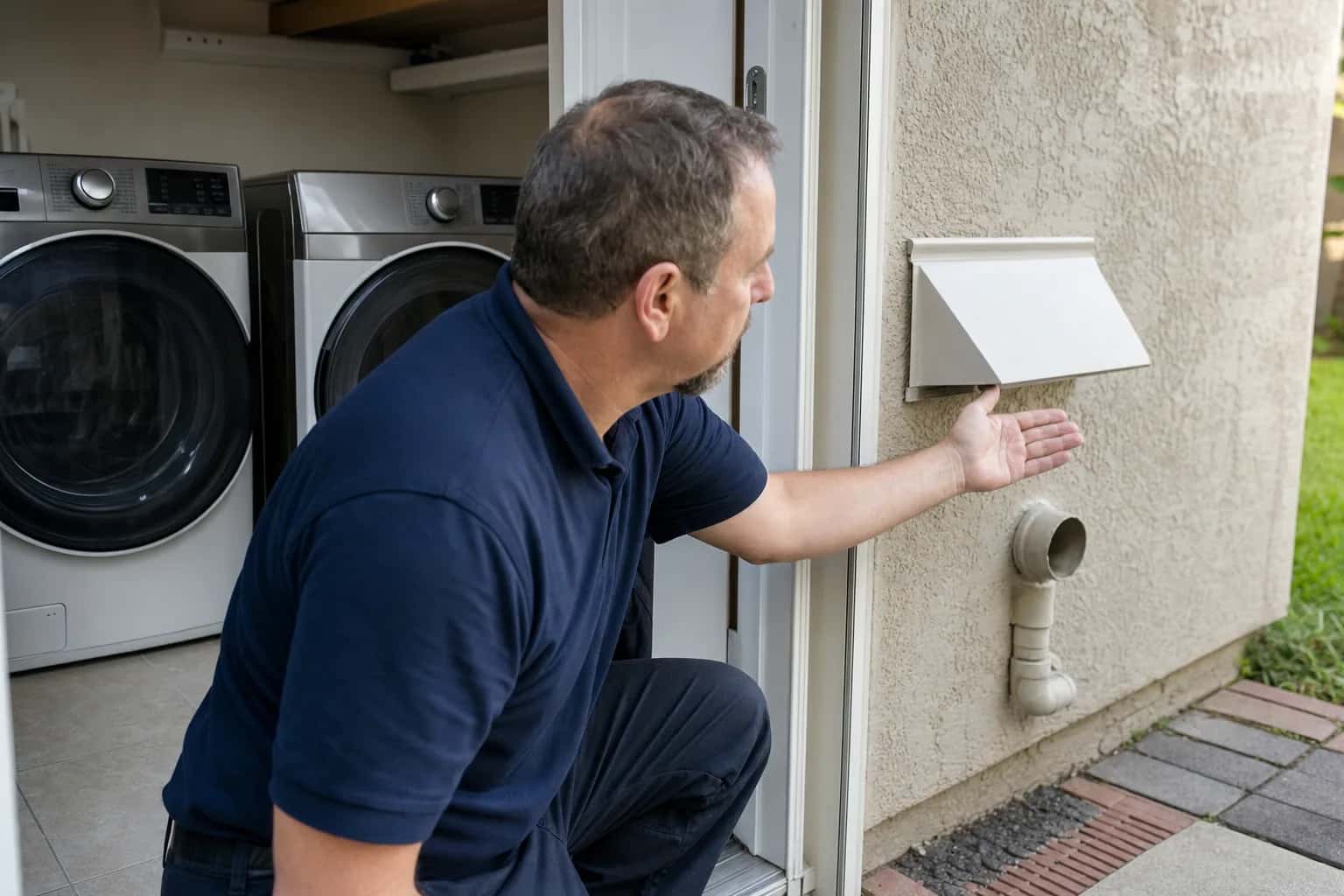
LG dryer error codes most often point to airflow: d75, d80, d90 and d95 mean the exhaust duct is partly clogged, the same problem LG's Flow Sense indicator warns about. Codes and displays vary by model, so confirm yours in your owner's manual or on LG's dryer error code list.
| Code | Meaning | Try first | Call a technician when |
|---|---|---|---|
| d75, d80, d90, d95 | Exhaust duct about 75%, 80%, 90% or 95% clogged | Clean the lint filter, check the duct behind the dryer and the outside flaps | The duct has been cleaned and the code still returns |
| nP | No current detected at the heater, usually a house wiring issue | Check the plug, turn the breaker off for at least 10 seconds | An electrician finds the outlet correct and it returns |
| PS | Improper voltage in the power cord (white and red wires can be reversed) | Breaker off for 10 seconds; have the cord installation checked | The cord and outlet are correct and it returns |
| tE1, tE3 | Thermistor (temperature sensor) problem | Factory reset | It returns after the reset |
| tE2 | Thermistor code, normally in cold conditions or during steam cycles | Clean the lint filter, check the vent for clogs | It keeps returning |
| HS | Humidity sensor error; the dryer runs about two and a half hours | Clean the sensors below the lint filter, let them dry | It returns with clean sensors |
| dE | Door not completely closed | Seat the lint filter fully, clear caught clothing | It repeats after a power reset |
| F0 or Insert Filter | Lint filter out of place | Remove and reinsert the filter | It will not clear with the filter seated |
| PF | Power failure, often after an outage | Factory reset | It returns after the reset |
| CL | Child Lock is on | Hold the Child Lock key for 3 seconds | Not a fault |
| Add | Steam feeder needs water | Fill with tap water, not distilled | Not a fault |
| E13 | Hybrid condensing models: drain hose kinked, crushed or clogged | Straighten or clear the drain hose | The hose is clear and it returns |
| Check Filter | Reminder to clean the lint filter | Clean the filter | Not a fault |
LG's gAS code (which can look like 9A5), and a d80 on a gas dryer, point to a gas supply problem. They apply only to gas models. Check that the gas shutoff valve behind the dryer is open, and if the code returns, book a repair; see gas dryer not heating. The gas piping itself is work for a licensed plumber or gas contractor.
Safety first: an electric dryer runs on 240 volts, so unplug the dryer or switch off its breaker before you pull it out or reach behind it. If you smell gas anywhere in the house, leave and call 911 or your gas utility from outside, and do not touch light switches.
LG dryer d80, d90 and d95 codes and Flow Sense
LG says these codes mean the exhaust duct is clogged, about 75%, 80%, 90% or 95% respectively. If your dryer has a Flow Sense indicator, two or four bars mean the exhaust system is severely restricted.
Do not keep running loads through a badly restricted vent: the U.S. Fire Administration lists failure to clean as the leading factor in home clothes dryer fires.
LG's checks, in order:
- Inside the dryer. Clean the lint filter between loads. LG also recommends cleaning it with warm water and a soft brush, then letting it dry before you reinstall it. Dry smaller loads so air can pass through.
- Behind the dryer. With the dryer unplugged, check that the duct to the wall is not crushed, dented, kinked or compressed, is not coiled, and has no holes or loose connections.
- Outside the home. Find the exhaust outlet and make sure its flaps can open all the way; lint can jam them. Remove any lint you can see.
- Inside the walls. If the code remains, LG says to contact a dryer duct cleaner to clean the vent run in the house, and to ask them for the length of the vent from the dryer to the outside and the number of 90-degree turns.
If your vent runs through the attic or out the roof, leave it to a professional; do not climb onto the roof. Every dryer repair includes an airflow check at the machine, but we do not clean duct runs, so for the full run we will recommend a dryer vent cleaning professional. Our guide to a dryer that takes forever to dry covers vents in more detail.
LG dryer not heating: nP and PS
nP means no current is reaching the heater, which LG says normally points to the home's electrical wiring. PS means improper voltage in the power cord, which can happen when the white and red wires are reversed on the dryer's terminal block. LG's steps:
- Make sure the cord is plugged securely into a grounded 240-volt outlet that matches the dryer's rating plate.
- At your main panel, turn the dryer's breaker off for at least 10 seconds, then back on.
- If the code remains, have a licensed electrician check the outlet voltage, and for PS, have the cord installation checked against the 3-wire or 4-wire diagram in your manual.
Do not open the terminal block or test the outlet yourself. If it still does not heat once the electrician has confirmed the supply, the dryer needs service. Our guide to a dryer not heating covers the parts involved.
Heat sensor codes: tE1, tE2 and tE3
LG says tE1 and tE3 mean a problem was detected with the dryer's thermistor, its temperature sensor, and that a factory reset (below) is the first step. tE2 is also a thermistor code, normally in cold conditions; the extra humidity during steam cycles can make the duct cool down faster, which triggers it. Clean the lint filter and check the vent for clogs. If any tE code returns after a reset, it needs service.
LG dryer door, filter and sensor codes
- dE: the door is not completely closed. Open it, push the lint filter all the way in and make sure no clothing is caught. If that does not clear it, use the short power reset in the section below. If dE returns, it needs service; LG says to contact the dealer if a new dryer arrived damaged. Never tape or bypass the door switch.
- F0 or a flashing Insert Filter: the lint filter is out of place. Remove it and reinsert it.
- HS: a humidity sensor error, which makes the dryer run for about two and a half hours. Clean the sensors below the lint filter with a damp rag or paper towel and let them dry fully before the next cycle.
Other LG messages
- CL: Child Lock is on. Press and hold the Child Lock key for 3 seconds.
- Add: the steam feeder needs water. Fill it with tap water; LG says not to use distilled water.
- E13: hybrid condensing dryers only. The drain hose is kinked, crushed or clogged.
- Check Filter: a reminder to clean the lint filter, not a fault. It turns off when the cycle begins.
How to reset an LG dryer
LG calls this a factory reset and lists it for PF, tE1 and tE3:
- Unplug the dryer or trip its breaker.
- While it has no power, press and hold Start/Pause for 5 seconds.
- Restore power and run a cycle.
PF usually appears after a power outage, and this reset is LG's fix for it. If a code survives the reset, it needs service.
For a dE code that will not clear, LG's shorter power reset is to unplug the dryer, wait 5 seconds, plug it back in, close the door firmly, select a cycle and press Start.
To turn off Child Lock (CL on the display), press and hold the Child Lock key for 3 seconds. For other brands, see how to reset a dryer.
What usually fails
- The vent. Behind every d-code, and the reason several parts below wear out.
- Heating element, thermal fuse or high-limit thermostat. Weak or no heat, often after the dryer has run hot against a clogged vent.
- Thermistor. A tE code that returns after a reset.
- Humidity sensor. HS that returns after the sensors are clean.
- Door switch or latch. dE on a door that closes normally.
What it costs in Atlanta
The diagnostic is $80, waived when you approve the repair. Dryer repairs start at $180 plus parts, with a written flat-rate estimate before any work begins, and they typically run $230 to $380 all in on standard brands. When a code survives a clean vent and a reset, LG dryer repair in the Atlanta area starts with testing the thermistor, sensors and heater, because a new part in a dryer that cannot breathe will fail again. More on the brand at LG. There is no trip charge to come back and install an ordered part, and every repair carries our 60-day parts-and-labor warranty. See our pricing, and for an older dryer, our repair-or-replace guide.
Schedule a visit or read about our dryer repair service. Prefer to talk? Call (470) 778-4087.
Sources
- LG: LG dryer error code list
- U.S. Fire Administration: Appliance and electrical fire safety
- CPSC: Overheated Clothes Dryers Can Cause Fires (Safety Alert)
How we write and check these guides: editorial policy. Spot an error? Email hello@atlantaappliancetechs.com.
About Atlanta Appliance Techs
Atlanta Appliance Techs is a locally owned appliance repair company serving Metro Atlanta, including dryer repair in Atlanta. $80 diagnostic waived with the repair, 60-day parts-and-labor warranty, and gas, electric and induction appliances. More about us.