Microwaves
Microwave Stopped Working? No Power, Won't Start or Trips the Breaker
Microwave stopped working, won't start or trips the breaker? Safe power and door checks, why a blown fuse always has a cause, and repair costs in Atlanta.
By Atlanta Appliance Techs · Published · Updated · 7 min read
Microwave stopped working? Whether it has gone dark, will not start or trips the breaker, start with the power supply. A tripped breaker, a GFCI outlet or a locked keypad can all make a microwave look dead, and each takes minutes to check. If the power checks out, the usual culprit is a blown internal fuse, and a fuse rarely blows on its own. Finding what blew it is a job for a technician.
If it runs but the food stays cold, see microwave not heating instead.
Safety first: never open the cabinet
Never open the microwave's cabinet or remove its cover, not even to replace a fuse. GE Appliances warns that the internal high-voltage capacitor can hold a high-voltage charge even after the microwave has been unplugged, and it gives no do-it-yourself microwave repair advice for that reason.
The Consumer Product Safety Commission also warns against do-it-yourself microwave repair, noting that the possibility of electrical shock still exists after the oven is disconnected from power.
The FDA, which regulates microwave ovens, says to stop using a microwave that keeps running with the door open, and not to use one whose door does not close firmly or is bent, warped or otherwise damaged.
Checks you can do yourself
- Test the outlet. Plug a lamp into the same outlet. If it works, plug the microwave straight into the wall. Panasonic says not to connect a microwave to an extension cord.
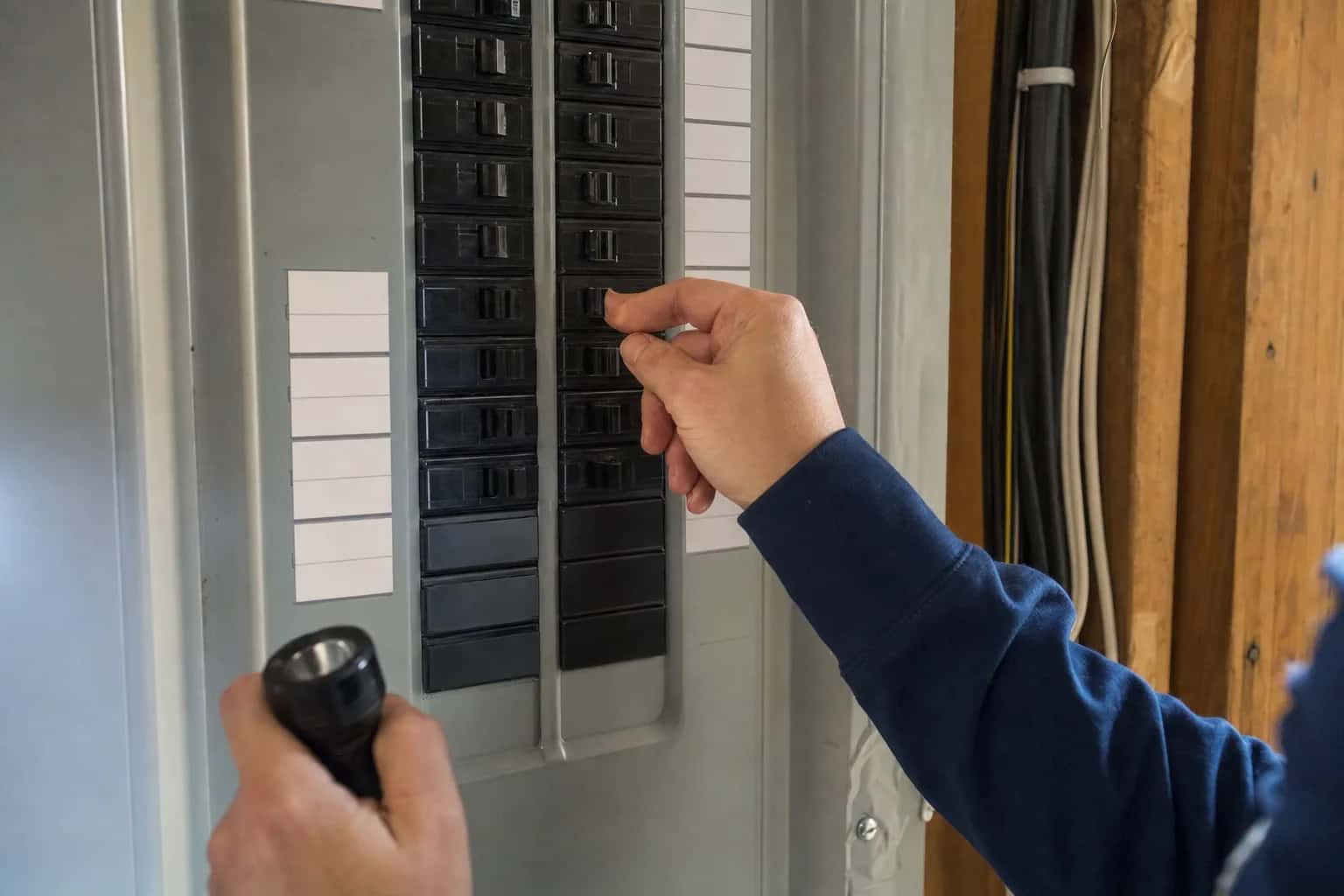
- Check the breaker. Find the microwave's breaker and switch it fully off, then back on. An over-the-range microwave should be on its own circuit, so look for its own breaker, not the one for the counter outlets.
- Reset any GFCI. If the microwave plugs into an outlet with Test and Reset buttons, press Reset. A GFCI elsewhere on the same circuit can cut power too, so check nearby outlets.
- Look at the display. If the display is on but the keypad starts nothing, the control lock may be on. On Whirlpool over-the-range models it shows as LOC, an L or a padlock, and holding Cancel for 3 seconds, or Start for 5 seconds on some models, turns it off. Other brands differ, so check your manual. A display showing PF or 8888 just means the power was interrupted; touch Clear or Cancel and set the clock.
- Open and close the door firmly. A microwave will not start unless the door is fully latched. Some Whirlpool models also show a DOOR message if the door has been closed for five minutes without a cycle; opening and closing the door clears it.
- Let it cool. If it shut off partway through cooking, it may have overheated. GE lists long cooking times and blocked vents as causes: clear the vents, wait about 30 minutes and try again.
- Reset the power. Switch off the breaker, or unplug the microwave, for one minute, then restore power.
If the outlet has power and the microwave is still dead, the problem is inside the cabinet.
Microwave has no power or will not turn on
No display, no light when you open the door, no beep. Once the outlet, breaker and GFCI check out, the usual causes are a blown internal fuse, a thermal cutout that has opened, or, less often, a failed control board. All of them sit inside the cabinet next to the high-voltage parts.
Microwave stopped working suddenly
A microwave that quits in the middle of a cycle has either protected itself or blown a fuse. Sharp's service manual describes two thermal cutouts in one model: one on the oven cavity that opens if food is badly overcooked, and one near the magnetron that opens if it overheats because of a failed cooling fan, a blocked air guide or a dirty air intake. Either one shuts the oven down.
If it stays dead, the fuse has probably blown, and something made it blow: a worn door switch, a short in the wiring, or a failing high-voltage part such as the magnetron, which KitchenAid notes can blow a fuse.
Stopped working after a power outage
Storms, outages and surges are part of life around metro Atlanta. If the microwave stays dark after the power returns, reset its breaker and any GFCI, then switch it off for one minute and back on. If it is still dead, the surge may have damaged the control board or blown the internal fuse. Both are repairable. Our power outage guide covers the rest of the house.
For next time, a whole-house surge protector at the panel, installed by a licensed electrician, is a good extra layer, as our Atlanta maintenance checklist explains.
Microwave tripping the circuit breaker
Make sure the microwave has a circuit to itself. Panasonic says no other appliance should share the circuit with the microwave, and that tripping is likely caused either by a shared circuit or by an older breaker that has become more sensitive and should be replaced. Reset the breaker once and try again. If it trips a second time, unplug the microwave and stop using it until it is checked.
A breaker that trips the instant the microwave starts heating, or when the door opens or closes, points to a fault inside, such as a shorted high-voltage part or a door switch problem. A worn breaker that trips too easily is a job for a licensed electrician.
Microwave stopped working after opening the door
Federal rules require every microwave to have at least two operative safety interlocks, plus a means of monitoring them that makes the oven inoperable, and keeps it that way until it is repaired, if an interlock fails (21 CFR 1030.10).
In many microwaves, that monitoring is done by a monitor switch that deliberately blows a fuse. Sharp's service manual describes exactly this: if the interlock contacts fail to open when the door opens, the monitor switch closes and blows the monitor fuse, rendering the oven inoperative. So when a microwave dies the moment you open the door, a worn door switch or latch has often failed, and the fuse did its job.
Another sign of a bad door switch is an interior light that does not come on when the door opens. And if a microwave ever keeps running with the door open, unplug it and stop using it.
Why a blown fuse is not the whole fix
A fuse blows because something made it blow: a failing door switch, a shorted magnetron, capacitor, diode or transformer, a wiring short, or a surge. Put in a new fuse without fixing that cause and it will blow again, or worse, the microwave may run with a safety switch that no longer works. Sharp's service manual tells technicians to test the door switches, relays and monitor switch before replacing a blown monitor fuse, and to replace the monitor switch along with the fuse.
The fuse also sits inside the cabinet next to the high-voltage capacitor, which is why even a "simple fuse replacement" is not a DIY job. A technician discharges the capacitor, tests the switches and high-voltage parts, and replaces the fuse along with the part that blew it. On an over-the-range or built-in model, you can have the fuse and door switches tested for the cost of the diagnostic, which is waived if you go ahead with the repair.
What usually fails
- Internal (monitor or line) fuse. A completely dead microwave, and it always has a cause.
- Door interlock switches and the latch. It stops after the door is opened, will not start, or the interior light misbehaves.
- Thermal cutouts. It shuts off mid-cycle, usually because of blocked vents, a dirty air intake or a failing cooling fan.
- Control board. A dead display or a keypad that does nothing, often after a surge.
- Magnetron, capacitor, diode or transformer. High-voltage failures that can take the fuse with them.
What it costs in Atlanta
We repair over-the-range and built-in microwaves. The diagnostic is $80, or $120 for a microwave-oven combo, and it is waived when you approve the repair. Repairs start at $180 plus parts for over-the-range and built-in microwaves and $250 plus parts for oven-microwave combos, with a written flat-rate estimate before any work begins. When the part is in stock, the repair can often be finished on the first visit; if a part must be ordered, there is no trip charge to come back. Every repair carries our 60-day parts-and-labor warranty. See our pricing.
Repair or replace?
A countertop microwave is usually cheaper to replace than to repair, and we do not service countertop models. Over-the-range and built-in microwaves are usually worth repairing: they cost more, and a replacement has to be mounted or fitted into your cabinets. Replacing an over-the-range unit anyway? We can install the new one. For the math, see our repair-or-replace guide.
Schedule a visit or read about our microwave repair service. Prefer to talk? Call (470) 778-4087.
Sources
- Panasonic: Troubleshooting microwave power, fan or motor problems
- GE Appliances: Microwave power is off
- Whirlpool: LOC or L or padlock icon, over-the-range microwave
- Sharp: R-305DW microwave oven service manual (PDF)
- Cornell LII: 21 CFR 1030.10, Microwave ovens
- GE Appliances: Microwave runs but does not heat
How we write and check these guides: editorial policy. Spot an error? Email hello@atlantaappliancetechs.com.
About Atlanta Appliance Techs
Atlanta Appliance Techs is a locally owned appliance repair company serving Metro Atlanta, including microwave repair in Atlanta. $80 diagnostic waived with the repair, 60-day parts-and-labor warranty, and gas, electric and induction appliances. More about us.