Ovens & Ranges
Oven Not Turning On? Dead Oven, Blank Display or No Power
Oven not turning on, with a blank display or no power at all? The safe checks to try first, from the breaker to control lock, what fails, and repair costs.
By Atlanta Appliance Techs · Published · Updated · 6 min read
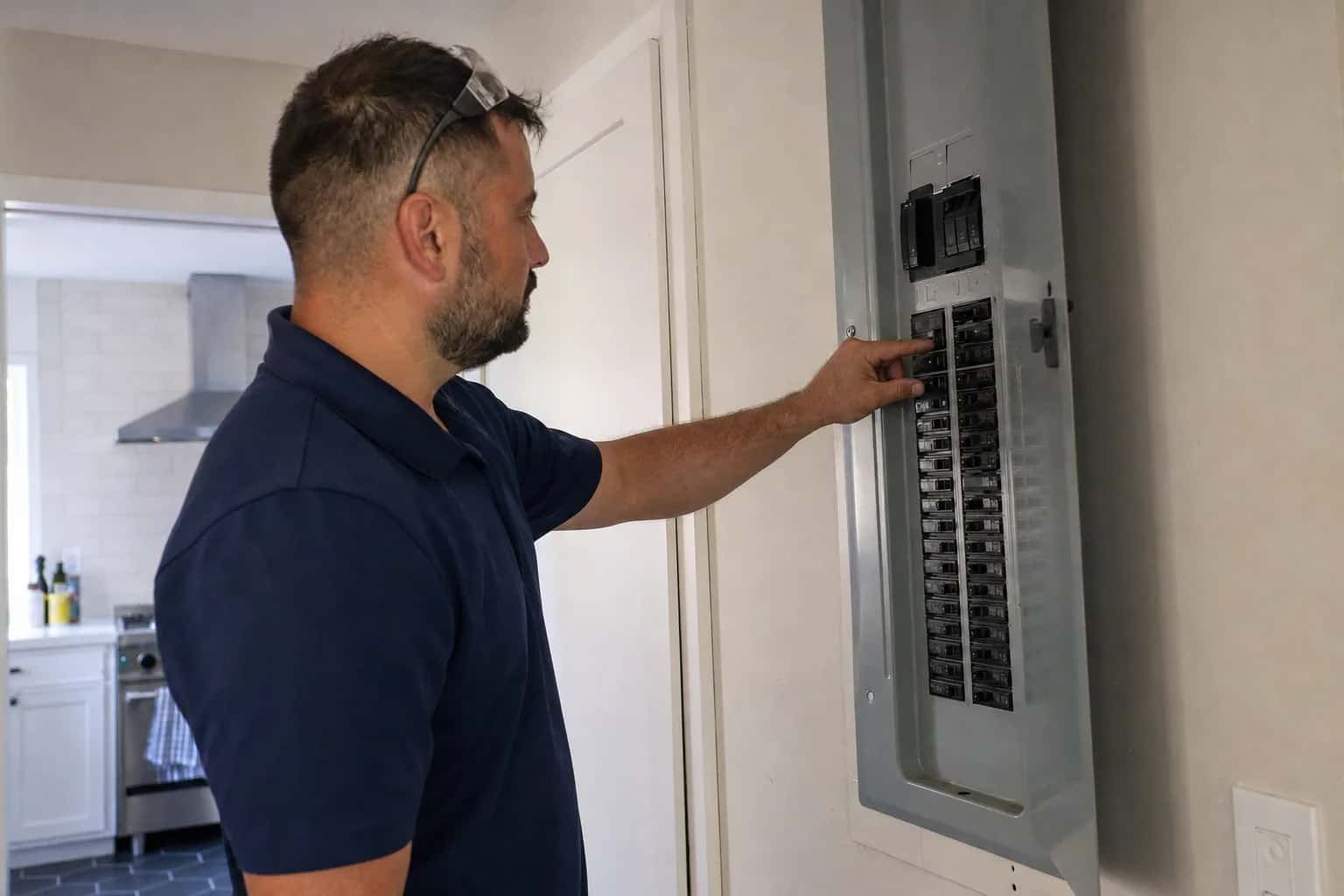
An oven not turning on at all, with a blank display, no beeps and no response to any pad, almost always comes down to power, a setting that locks the controls, or a safety fuse that has cut the power. Start with the breaker and the settings below, because plenty of "dead" ovens come back without a new part.
Safety first. Switch off the breaker before you remove a panel or touch an element, and never bypass a thermal fuse, door lock or other safety device. We repair gas, electric and induction ovens; if you have a gas range and smell gas, do not touch any switches, leave the house and call 911 or your gas utility from outside.
Dead display or no heat?
- Blank display, nothing responds: the control has no power, or a mode is keeping the screen dark. Work through the checks below.
- Display works, oven stays cold: the heating side has failed. See oven not heating up.
- Display works, pads do nothing: usually a control lock, Sabbath mode or a worn keypad.
Oven not turning on? Checks you can do yourself
- Wake the display. Touch a pad or open the door. Some Whirlpool ranges and wall ovens have an Energy Save mode that blanks the display when the oven is not in use; Whirlpool says to press and hold Settings/Clock for 3 seconds until "Energy saver off" appears.
- Check the breaker. An electric range or wall oven needs 240 volts through a double-pole breaker, two handles tied together. GE says to check the house breaker box to be sure the breakers are on and the fuses are good. Switch the breaker fully off, then back on. If it trips again, leave it off and call.
- Check the plug. On a range with a cord, GE says the power cord must be plugged fully into the wall outlet. If the outlet shows black marks or misshapen plastic, leave it alone and call a licensed electrician.
- Reset the control. With the breaker off, wait one minute, then switch it back on, as GE recommends for an oven that will not come on.
- Unlock the manual latch. On self-cleaning ovens with a latch handle, GE says the latch must be all the way to the left, in the unlocked position.
- Cancel any delayed start. A bake set with Delayed Start will not begin until its start time. Whirlpool's fix is to cancel the control and restart the bake.
Blank display or dead keypad: control lock and Sabbath mode
- Control lock. The pads do nothing, and many models show a padlock icon or "LOC". GE's code list describes LOC as Child Lockout, a feature that keeps the oven from being turned on accidentally. The owner's manual lists the pad or pad combination that unlocks it.
- Sabbath mode. It disables or limits features so the oven can be used on the Sabbath, and it can leave the display dark or showing very little. Both GE and Whirlpool point to the owner's manual for turning it off.
- Demo mode. Whirlpool says "Try the Product", "View Product Video" or "Showroom Mode" on the display means the oven is in demo mode. Follow the on-screen prompts or the control guide to exit.
Oven not working after a power outage
After a power outage, most ovens need the clock set again before they work normally. Whirlpool ranges show "Time", "12:00" or "POWER LOSS"; press Cancel to clear it, then set the time of day.
A surge can upset the control too. Whirlpool says an F9 or F9 E0 code after an outage can mean the control detected noise on the power line that it read as incorrect voltage: switch the breaker off for one minute, then back on. If the code keeps returning, the home's wiring to the oven needs a qualified electrician; our Whirlpool oven error codes guide has the full reset. If other appliances are acting up after the same storm, see appliances not working after a power outage.
Oven not turning on after self-clean
Self-clean runs far hotter than any bake setting, because it burns food soil to ash. Two things can leave the oven seemingly dead afterward.
The first is normal. The door stays locked until the oven cools, which GE says can take 30 to 90 minutes after the cycle ends, with the lock and clean lights possibly staying on the whole time. Wait, then try the breaker reset. If the door stays locked once the oven is cool, see oven door locked after self-clean.
The second is a blown thermal fuse, a one-time safety device that cuts the oven's power if it overheats. The extreme heat of self-clean can be enough to blow one, and once it does, the oven will not turn on at all. A one-time fuse has to be replaced, not reset. If one blows outside self-clean, something made the oven overheat, such as a relay stuck on or a failed cooling fan, and that has to be found before the oven is used again.
Broiler works but bake doesn't
If the display works and the broiler heats but bake stays cold, the oven is not dead; the bake circuit has failed. On an electric oven, the bake element is the usual cause. GE says to inspect the lower element for cracks or breaks, and that a cracked or broken one has to be replaced. If neither bake nor broil heats but the display is fine, suspect a relay on the control, the thermal fuse or a lost leg of the 240-volt supply, all covered in oven not heating up.
When the control board is the problem
The control board runs the display and switches power to the elements. The signs that it has failed: a dark display even with power confirmed and a good fuse, a partial display, or pads that work only sometimes. GE says its F5, F8 and FF codes usually mean the electronic control needs to be replaced, while F0, F1, F6 and F7 usually point to a problem with the keypanel; see GE oven error codes.
Boards cost more than most oven parts, so we test the power supply, the thermal fuse and the wiring before we quote one. You can read what that visit covers on our oven and cooktop repair page.
What usually fails
- Thermal fuse. Dead during or right after self-clean, or after the oven overheated.
- Control board. No display or a partial display, with power confirmed at the range.
- Keypanel. The display works, but some or all pads do not respond.
- Power cord or terminal block. Burned or loose connections where the power supply meets the range.
- Door switch or lock switch. On some models the control will not start a cycle if it cannot read the door's position.
What it costs in Atlanta
For freestanding ranges and stoves, the diagnostic is $80 and repairs start at $180 plus parts. Built-in wall ovens and double ovens take longer to access, so the diagnostic is $120 and repairs start at $250 plus parts. The diagnostic is waived when you approve the repair, and you get a written flat-rate estimate first. On standard brands, typical all-in repairs run $230–$450 for a range and $330–$550 for a wall oven; premium brands run higher. If the part is in stock, the repair can usually be done on the first visit, and there is no trip charge for a return visit to install an ordered part. Every repair carries our 60-day parts-and-labor warranty. See our pricing.
Repair or replace?
A dead oven usually needs one part, such as a fuse, a keypanel or a cord connection, and those are almost always worth fixing. A control board on an older, discontinued model is the main exception; our repair-or-replace guide walks through the math.
We repair gas, electric and induction ovens and ranges. For a gas oven that will not light, see oven not heating up.
Schedule a visit or read about our oven repair service. Prefer to talk? Call (470) 778-4087.
Sources
- GE Appliances: Range and wall oven, oven will not come on
- GE Appliances: Oven fault codes
- Whirlpool: Nothing is working (electric range)
- Whirlpool: No beeps or display (wall oven)
- Whirlpool: Flashing Time, 12:00 or Power Loss (range)
- GE Appliances: Self-clean cool-down and door lock
How we write and check these guides: editorial policy. Spot an error? Email hello@atlantaappliancetechs.com.
About Atlanta Appliance Techs
Atlanta Appliance Techs is a locally owned appliance repair company serving Metro Atlanta, including oven & cooktop repair in Atlanta. $80 diagnostic waived with the repair, 60-day parts-and-labor warranty, and gas, electric and induction appliances. More about us.