Error Codes
Samsung Refrigerator Error Codes and What They Mean
Samsung refrigerator error codes OF OF, 21E, 22E, 40E, 5E, 39E, 83E to 86E and PC ER in one table, with the fixes Samsung gives and when to call a technician.
By Atlanta Appliance Techs · Published · Updated · 8 min read
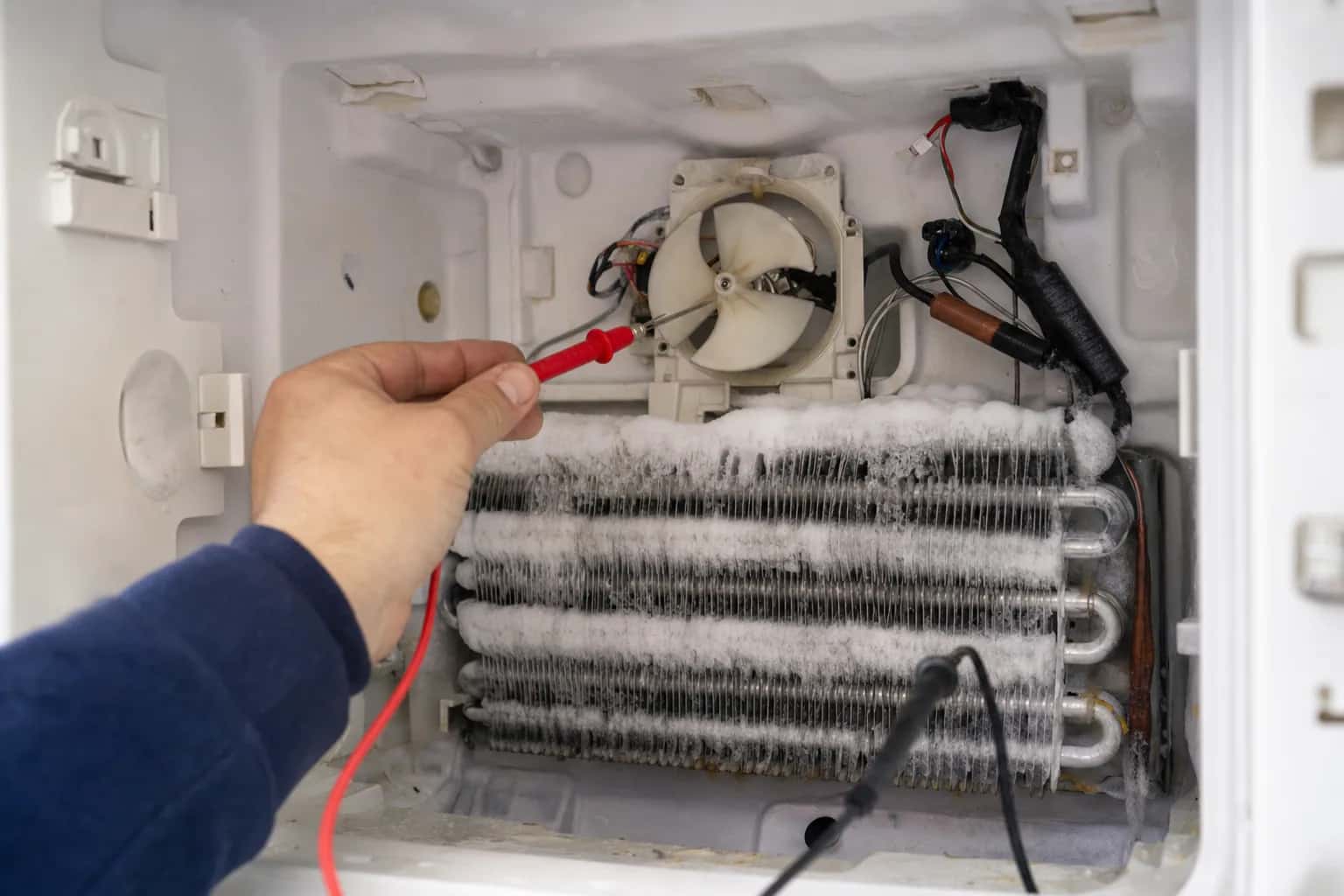
Samsung refrigerator error codes are the numbers and letters on the display, such as 22E, 5E or 39E, that tell you the control has found a problem with a fan, a sensor, the ice maker or the power supply; a few, such as OF OF, are not faults at all. Samsung says its list is not complete and some steps differ by model, so confirm your code in your owner's manual or on Samsung's error code page.
| Code | Meaning | Try first | Call a technician when |
|---|---|---|---|
| OF OF, O FF | Cooling Off (demo or shop) mode | Turn Cooling Off mode off (steps below) | Never; Samsung says service is not required |
| 21E | Freezer fan not sensed turning | Defrost; check the doors and gaskets | It returns after a defrost |
| 22E, 22C | Fridge fan error, often after a door was left open | Unplug, leave the doors open a few hours, restart | It returns |
| 40E, 40C | Ice room fan error | Nothing to try | Samsung says to request service |
| 5E | Fridge defrost sensor error | Nothing to try | Samsung says to request service |
| 8E, 14E | Ice maker sensor errors | Nothing to try | Samsung says to request service |
| 33E | Ice pipe heater error | Nothing to try | Samsung says to request service |
| 39E, 39C | Ice maker function error | Nothing to try | Samsung says to request service |
| 83E | Abnormal current to the compressor | Power off 60 seconds, then restart | It returns |
| 84C | Compressor lock | Nothing to try | Right away |
| 85E | Compressor under voltage (brownout) | Power off 60 seconds, then restart | It returns |
| 86E | Compressor over voltage (power surge) | Power off 60 seconds, then restart | It returns |
| 88 88 | Communication fault after a power interruption at startup | Power off 60 seconds, then restart | It returns |
| 85C | Low voltage detected (Family Hub) | Press OK for 3 seconds | Not needed; Samsung calls it harmless |
| PC ER, PC CH | Components not communicating | Power off, reseat the wire harness above the door | It returns |
| Ice Off blinking | Ice bucket missing or not seated | Reinstall the bucket | Not needed |
| 76C, blinking Autofill | Water detected in the Autofill compartment | Check the Autofill compartment | It persists |
| AP | Refrigerator acting as a Wi-Fi access point during setup | Finish or cancel Wi-Fi setup | Not a fault |
Safety first: unplug the refrigerator or switch off its breaker before you pull it out, remove a panel or reconnect a door harness, and keep towels handy if you defrost it.
Before you reset: Samsung's warning
When an error code appears, Samsung says not to unplug the refrigerator unless the steps for that code direct you to, and not to press panel buttons just to make the code go away, because either makes it harder for a technician to diagnose the problem. Take a photo of the code first. Power-cycle only when a code's own steps call for it, as the power codes below do, or when there is no code and you are troubleshooting a cooling problem.
Samsung's self-diagnostic
On a Family Hub refrigerator, you can list current and past codes yourself: tap Apps, then Fridge Manager, Fridge Settings and Self Check, then tap Start. If every icon flashes right after you plug the refrigerator in, that is normal; Samsung says the refrigerator is running a self diagnostic.
How to reset a Samsung refrigerator
- Note the code, if there is one, and check the table above to see whether Samsung wants a reset for it.
- Cut the power. Unplug the refrigerator or turn it off at the circuit breaker for 2 minutes. For the power and communication codes (83E, 85E, 86E and 88 88), Samsung's steps call for 60 seconds.
- Restore power. As the refrigerator reboots, it runs a self-test and displays an error code if it finds a problem.
- Check the settings and make sure the display does not show OF OF.
- Give it time. Samsung says three hours is usually enough to see the temperature dropping, and that it can take up to 28 hours, with the doors closed, to reach the set temperature.
On Family Hub models, the screen has its own power switch inside the top of the right door; use it to reboot the screen when the display shows 41 or 42 with flashing blue interior lights. Our guide to resetting a refrigerator covers other brands.
Samsung refrigerator OF OF: Cooling Off mode
OF OF, O FF, OFF OFF or temperature bars scrolling back and forth mean Cooling Off mode, also called Demo or Shop mode. The refrigerator will not cool in this mode, and Samsung says service is not required. The button steps depend on the panel:
- On standard models, touch and hold the two buttons Samsung's Cooling Off mode page marks as Button 1 and Button 2 at the same time, until you hear a chime. The labels differ by model, but the button positions are the same.
- If the display does not change, touch and hold Button 1, Button 2 and Button 4 together until you hear a chime.
- Make sure the display no longer shows OF OF and the refrigerator starts cooling.
On Family Hub models, open Apps, then Fridge Manager, Fridge Settings, Cooling Off, then choose Deactivate and tap Proceed. For other panels, see your manual.
Samsung refrigerator fan codes: 21E, 22E and 40E
21E: freezer fan
Samsung says the electronics are not sensing the freezer fan turning when it should be. A frozen fan, a door left open, a gap in the door gasket or a failed fan motor can all cause it. You can defrost the refrigerator or request service. Either way, make sure it is not packed so full that the doors cannot close, and that the gaskets touch the cabinet all the way around.
22E, 22C: fridge fan
Running the refrigerator with a door left open too long can cause this code. Samsung's fix:
- Move perishables to a cooler with ice. The USDA says a refrigerator without power keeps food safe for up to 4 hours with the doors closed, and yours will be open.
- Unplug the refrigerator and leave the doors open for a few hours.
- Plug it back in, close the doors and resume normal use.
If 22E returns, it needs service.
40E, 40C: ice room fan
Samsung lists this as an ice room fan error. It needs service.
Samsung refrigerator ice maker codes
- 8E: ice maker (freezer) sensor error
- 14E: ice maker sensor error
- 33E: ice pipe heater error
- 39E, 39C: ice maker function error
- Ice Off blinking: the ice bucket is not inserted correctly, or not inserted at all. Reinstall it.
- 76C or a blinking Autofill light: water has been detected in the Autofill compartment.
Samsung says to request service for 8E, 14E, 33E and 39E. If your ice maker has a Test button and simply stopped making ice, you can try Samsung's ice maker reset: remove the ice bucket, then press and hold Test until you hear a chime. One chime means the ice maker passed. If there is no sound and no movement, unplug the refrigerator or turn off its breaker for 2 minutes and try again. Do not press Test repeatedly once the tray holds water or ice, or it may overflow or jam. See ice maker not making ice for more.
Samsung refrigerator sensor codes
5E is Samsung's fridge defrost sensor error, and 8E and 14E are ice maker sensors. A failed sensor feeds the control bad temperature readings, which can lead to frost buildup or poor cooling. Samsung says to request service for all three.
Power and communication codes
- 83E: abnormal current to the compressor.
- 85E: compressor under voltage, possibly from a brownout.
- 86E: compressor over voltage, possibly from a power surge.
- 88 88: a communication fault that can occur if power is disrupted during startup.
For all four, Samsung says to unplug the refrigerator or turn off its breaker for 60 seconds, then restore power. If the code returns, it needs service. If a storm knocked out the power, see appliances not working after a power outage.
- 85C (Family Hub): low voltage on the power source, possibly from an outage. Samsung calls it harmless; press OK for 3 seconds to clear it.
- PC ER, PC CH: a communication error between components. With the power off, disconnect and reconnect the wire harness above the door, then restore power.
- 84C: compressor lock. This needs service.
- 41 or 42 with flashing blue interior lights (Family Hub): reboot the screen with the power switch inside the top of the right door.
What usually fails
- Fan motors or iced-up fans. Behind 21E, 22E and 40E.
- Defrost parts. A failed defrost heater or sensor lets frost build until it stops a fan; 5E and repeat fan codes point here.
- Ice maker parts. The ice maker assembly, its sensor or the ice pipe heater, behind 8E, 14E, 33E and 39E.
- Door gaskets. Humid air getting past a gap turns into frost.
- Compressor or its controls. Behind 83E to 86E and 84C when a reset does not help.
When a code keeps returning, Samsung refrigerator repair starts with testing the fan, sensor or ice maker part the code names.
What it costs in Atlanta
The diagnostic is $80, waived when you approve the repair. Repairs start at $180 plus parts, with a written flat-rate estimate before any work begins. On standard brands, a typical refrigerator repair runs $250 to $500 all in; fans, defrost parts, relays and valves sit at the low end, and control boards and ice makers at the high end. See the typical totals on our pricing page. Premium brands run higher, and compressor work is rarely worth it on an older refrigerator; our repair-or-replace guide explains why.
If a part has to be ordered for your Samsung refrigerator, there is no trip charge to come back and install it. Every repair carries our 60-day parts-and-labor warranty.
Schedule a visit or read about our refrigerator repair service. Prefer to talk? Call (470) 778-4087.
Sources
- Samsung: Samsung refrigerator error codes
- Samsung: Cooling issues with Samsung refrigerator or freezer
- Samsung: Cooling Off mode (Demo mode) on your Samsung refrigerator
- Samsung: Reset the ice maker in the fridge compartment or Side-by-Side freezer
- USDA FSIS: Keep Your Food Safe During Emergencies
How we write and check these guides: editorial policy. Spot an error? Email hello@atlantaappliancetechs.com.
About Atlanta Appliance Techs
Atlanta Appliance Techs is a locally owned appliance repair company serving Metro Atlanta, including refrigerator repair in Atlanta. $80 diagnostic waived with the repair, 60-day parts-and-labor warranty, and gas, electric and induction appliances. More about us.